Best Website to Extract Text from Document Images
24 Aug 2026
24 Aug 2026
min read
OCROnline: Best Website to Extract Text from Document Images
OCROnline (OCROnline.io) is a website that offers a free image to text converter tool. It helps extract and copy text from images using optical character recognition technology (OCR). This web-based OCR tool has many useful features and claims to deliver the best results. But is it really the best website to extract text from document images? Let’s find out.
What is OCROnline?
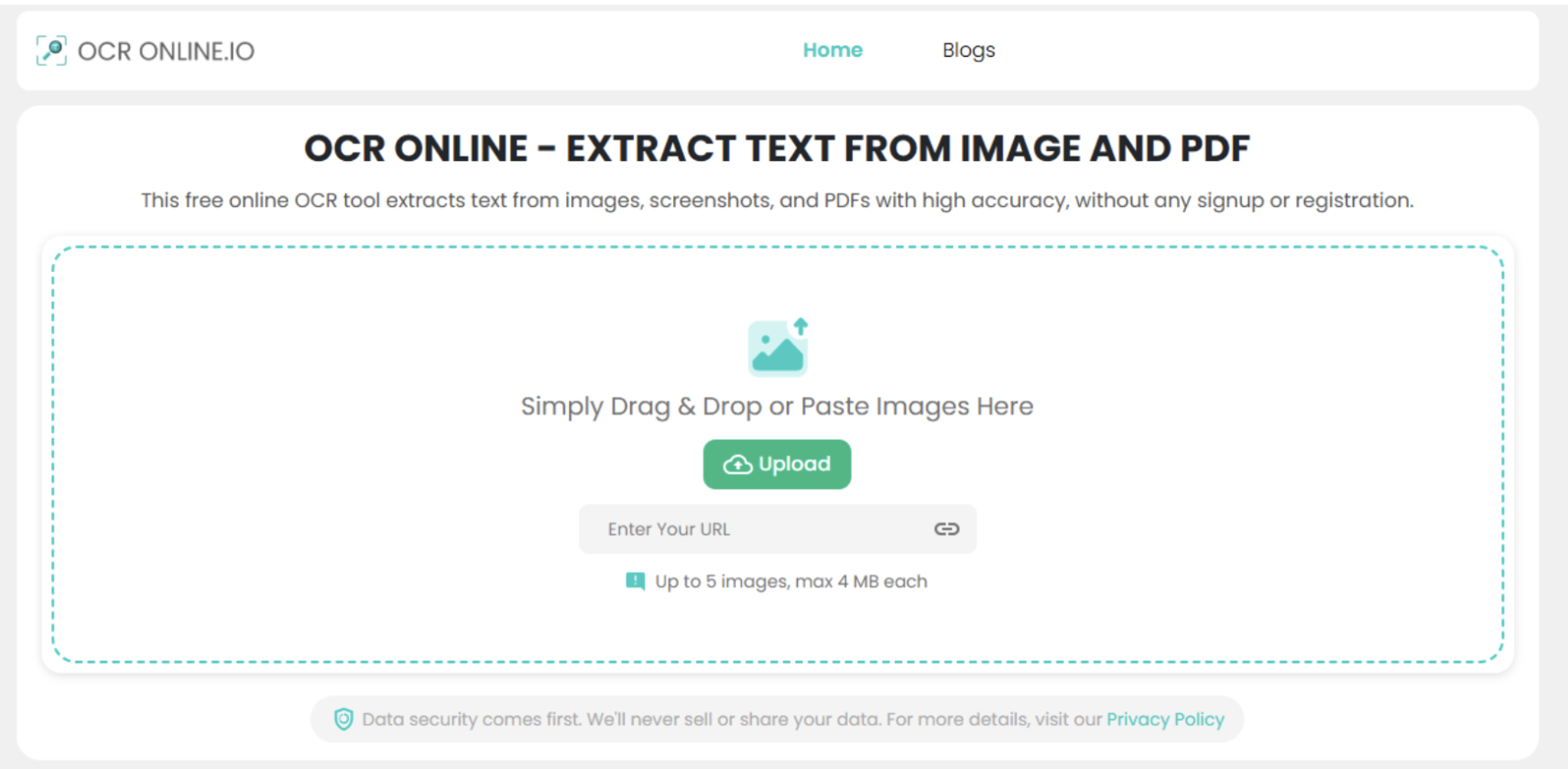
OCROnline, or OCR Online, is a free web based image to text tool. The tool on the website can extract text from images and PDF files. You can use it to digitize documents and handwritten notes. It can also transform PDF files into editable formats like DOCX and TXT.
What Features Does OCROnline Offer?
As per their official website, OCROnline.io, the tool is currently offering the following useful features.
- Bulk Conversion: Able to extract text from 5 different images and PDF files in one submission.
- High Accuracy: Delivers high-quality results, even for some blurry and distorted images.
- Math OCR: Can detect and extract mathematical syntax, equations, or formulas from images.
- Microtexts: Can read microfonts inside pictures and efficiently convert them to digital text.
- Handwriting OCR: Has the handwriting OCR capability to convert handwriting to digital text.
- Mobile Compatible: Highly compatible and can be used online on desktop, laptop, tablet, and smartphone devices.
- Free Downloads: Offers downloads in PDF, DOCX, and TXT. No watermarks are placed.
How OCROnline Works?
Using the image to text tool on OCROnline is quite easy. You just need to follow these steps to extract text from a file:
- Add images or PDF files into the tool.
- Click ‘Convert’.
- Copy or download results.
Behind the scenes, the tool follows several steps to turn the image into editable text. First, it prepares the uploaded file by fixing blur and cleaning unwanted visual elements.
Next, the OCR engine scans the image and recognizes the text. It then breaks the detected text into individual characters and checks them to improve accuracy.
Lastly, the tool converts the recognized characters into machine-readable text and shows the extracted text on the screen.
Is it Really Best to Extract Text from Document Images?
To find out whether the tool really delivers the best image to text conversion facility, we are going to run a simple test. In this test, we will run some printed document images through OCROnline.io.
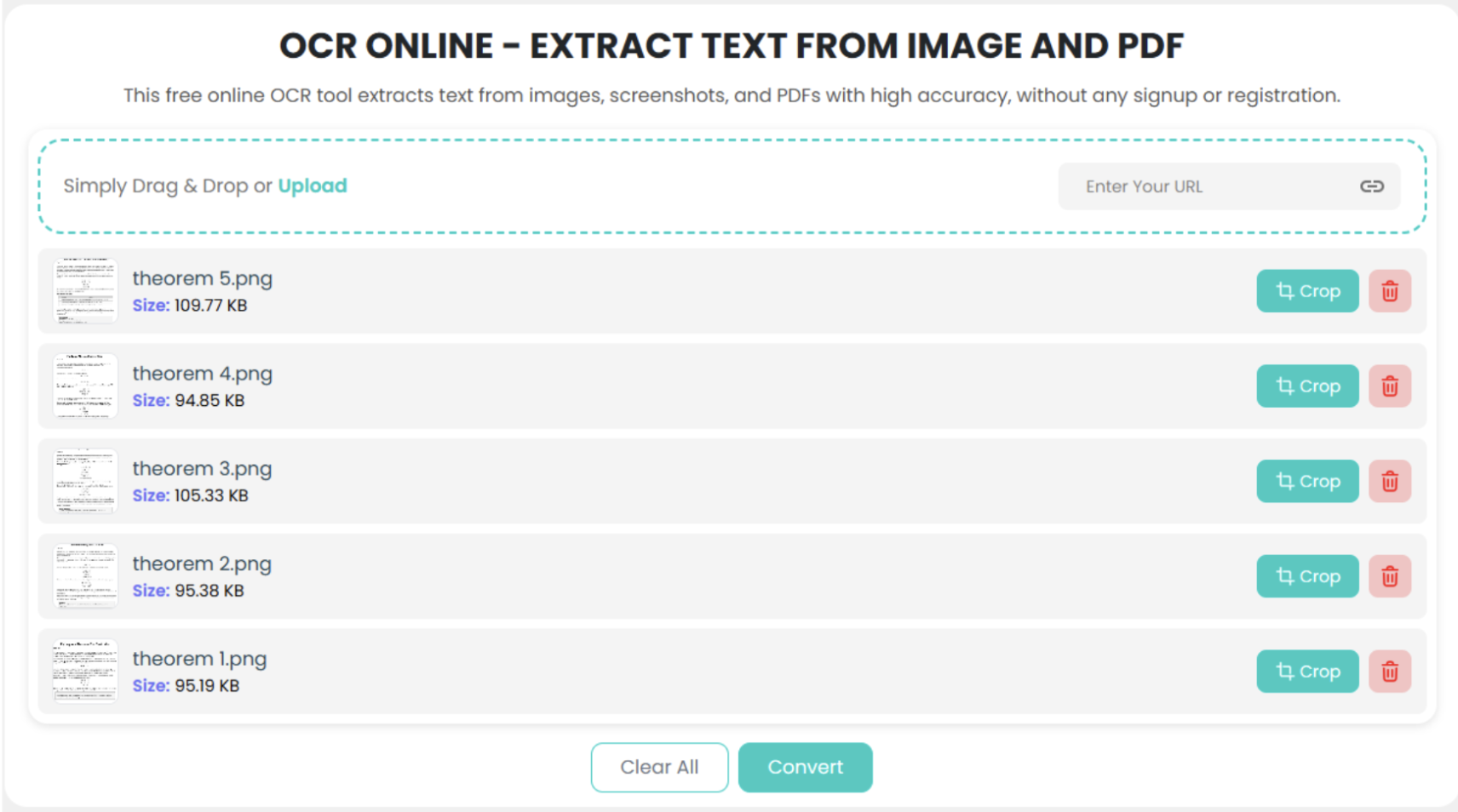
Step 1. Uploading Images
We are uploading 5 different document pages to the tool that contain a mix of alphabets, numbers, and mathematical equations.
Step 2. Extracting Text
Document images are uploaded. Now we are initiating the conversion process by clicking the ‘Convert’ button.
Here’s the preview of the results after the conversion process is completed.
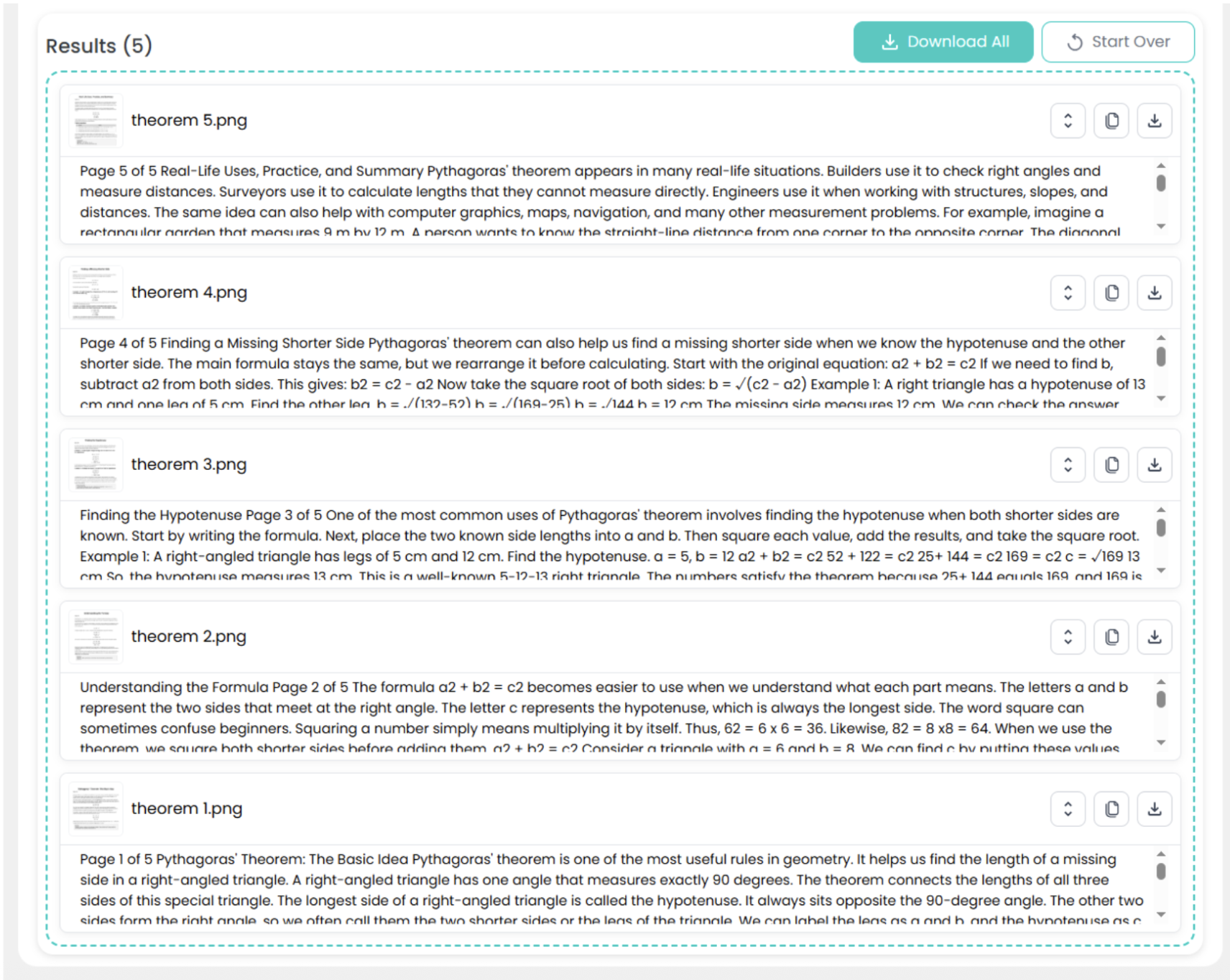
Step 3. Analyzing Results
To better analyze the quality of the OCR results, we are downloading the results for one of the images as a PDF file. Here’s the preview of that:
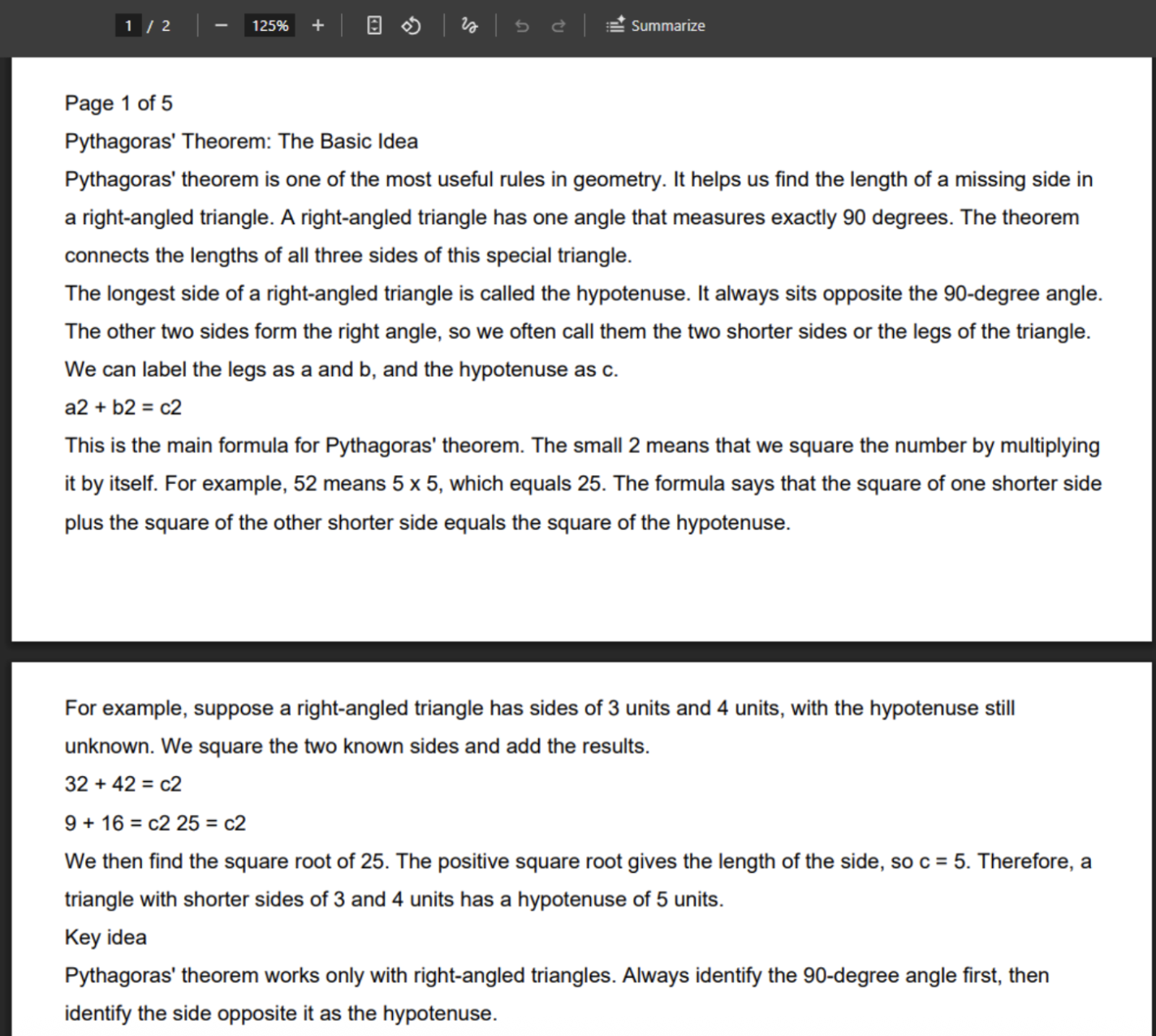
The results show that OCROnline was able to extract most of the text from the document correctly. The sentence structure remains readable after the conversion.
Additionally, the tool also preserved the numbers and mathematical content really well. This shows that it can handle documents that contain both regular text and formulas.
However, we noticed a small issue with the mathematical formatting related to superscripts. The tool displayed the superscripts inside formulas as plain text. But that issue is with almost all the OCR tools we checked online. In fact, some tools like imagetotext.info and imagetotext.io failed to detect mathematical syntax at first glance.
OCROnline vs Other Image to Text Websites
We also compared OCROnline with two other free OCR tools: Imagetotext.me and Imagetotext.info. We used the free versions of all three tools. The results were close. OCROnline gave results that were almost the same as both tools.
OCROnline vs Imagetotext.me
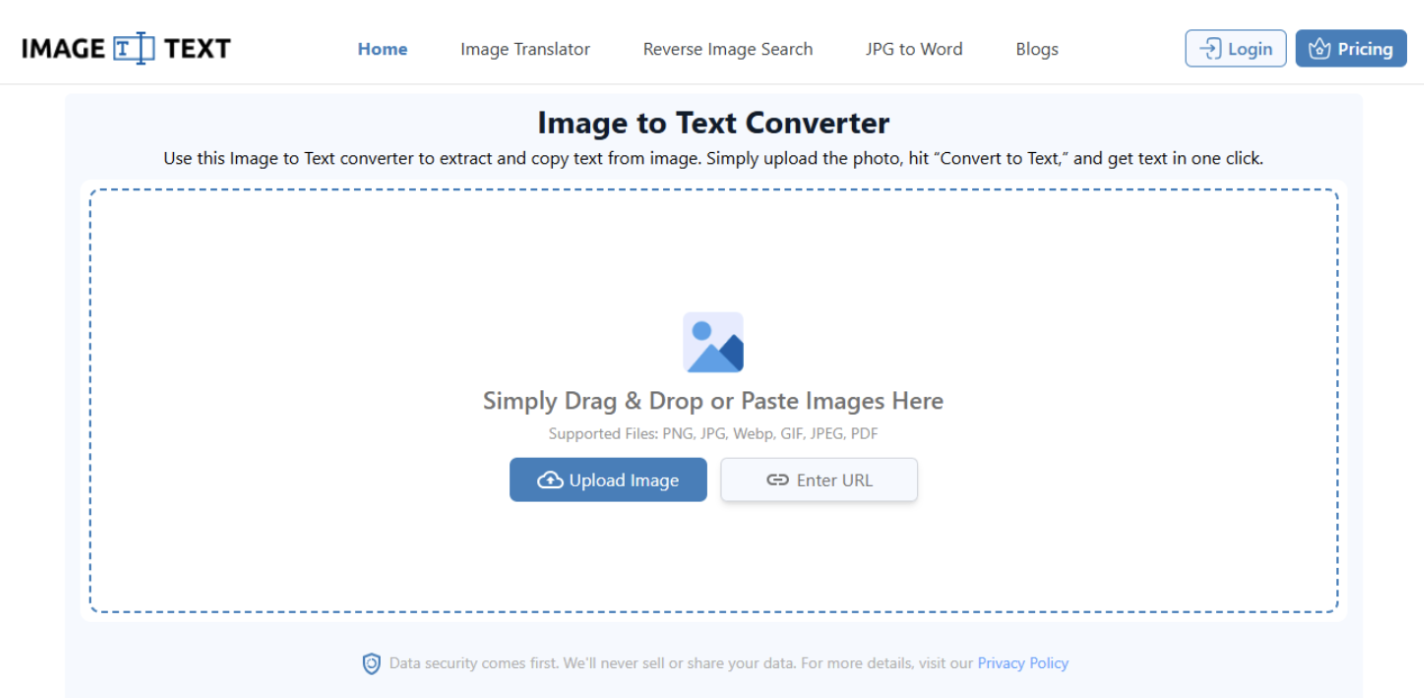
OCROnline and Imagetotext.me give very close results. Both tools can extract text from images with good accuracy. There is no big gap in the basic OCR results. If you only need to extract text from a few images, both tools can do the job well.
However, Imagetotext.me can be a better choice when you need to process many images. Its paid plans can process up to 150 images at one time. This makes it a good option for users who need large bulk OCR.
OCROnline vs Imagetotext.info
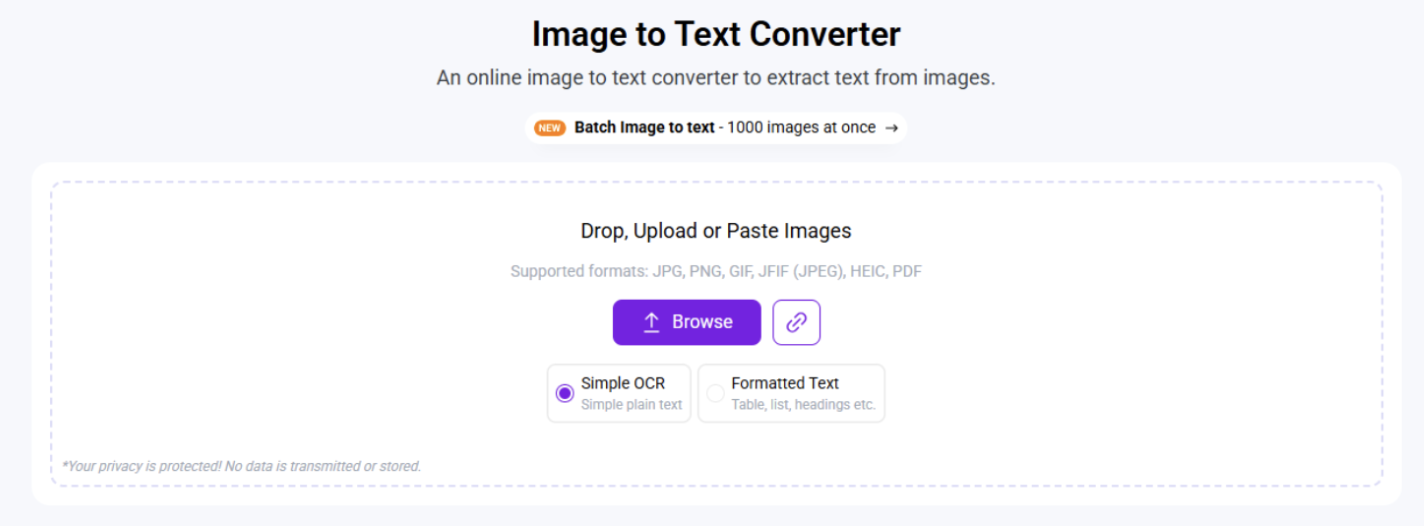
OCROnline also gives similar results to Imagetotext.info’s simple OCR model. But Imagetotext.info has a lower bulk limit in its free version. It lets you process only 2 images in one submission.
This gives OCROnline an edge if you need to process more images at once. Imagetotext.info also has a paid plan that can process up to 150 images at a time. However, its paid plans cost more than Imagetotext.me.
So, Imagetotext.info falls behind when we look at both bulk use and price. If you need to process many images, Imagetotext.me can offer better value.
Verdict
Based on our test, OCROnline is a good free OCR tool for extracting text from document images. It gave us accurate results for normal text, numbers, and formulas.
Its free version also lets you process up to 5 images or PDF files at once. This gives it an edge over Imagetotext.info, which allows only 2 images per submission in its free version.
OCROnline is a good choice if you want a free and simple OCR tool. But if you need to process a large number of images, tools like Imagetotext.me may be a better choice.
Keywords:
Extract Text
,


