How to Make Paper Documents Easier to Edit and Update
7 Sep 2026
30 Jul 2026
min read
Paper documents are still used widely in different aspects of our lives and everyday tasks. They can be contracts, invoices, receipts, medical records, classroom notes, and many other important documents. That’s because a printed copy is preferred for record-keeping, signatures, compliance, and many other official purposes.
However, editing or updating paper documents isn’t that simple. In most cases, professionals end up typing everything to make just a few changes. It takes a lot of time and involves repetitive work. Above all, it increases the chances of manual errors slipping in.
The Main Problems With Paper Documents
Paper documents are still useful in many situations. But they become inconvenient when the content needs updates. Here are the most common challenges that we have to face with printed documents.
- It takes a lot of time to make even a minor change. Just the correction of a small typo may need a complete retyping because physical documents can’t be edited.
- Re-entering information often leaves the document vulnerable to spelling mistakes or other manual errors.
- Unlike digital documents, specific information can’t be searched in paper documents using keywords.
- Paper documents may also feel less efficient for collaboration. Sharing a paper document with others for edits or feedback is much slower compared to digital ones.
The Easiest Way to Make Paper Documents Editable
Fortunately, retyping the whole document is no longer the only option for editing a paper document. Today, the easiest way is to convert the printed document into a digital form and make it editable through OCR-based text extraction. Once the text is extracted, it can be easily edited, updated, and reused.
Here is the complete step-by-step process.
1. Take a Picture of the Paper Document
The first step is taking a picture of the document with a phone or camera. The image should be clear and bright. To ensure this, place the document on a flat surface and provide proper lighting before taking the picture. Also, avoid shadows and keep the entire page inside the frame so that nothing gets cropped.
2. Upload the Picture to an OCR Converter
The next step is to extract text from the photographed document using an OCR-based converter. There are various tools available on the internet. It is recommended to choose one that meets the following requirements:
- Simple interface
- Advanced OCR technology
- Quick image conversion
- Supports different image formats
- Multiple upload options
- Multilingual support
- Batch processing
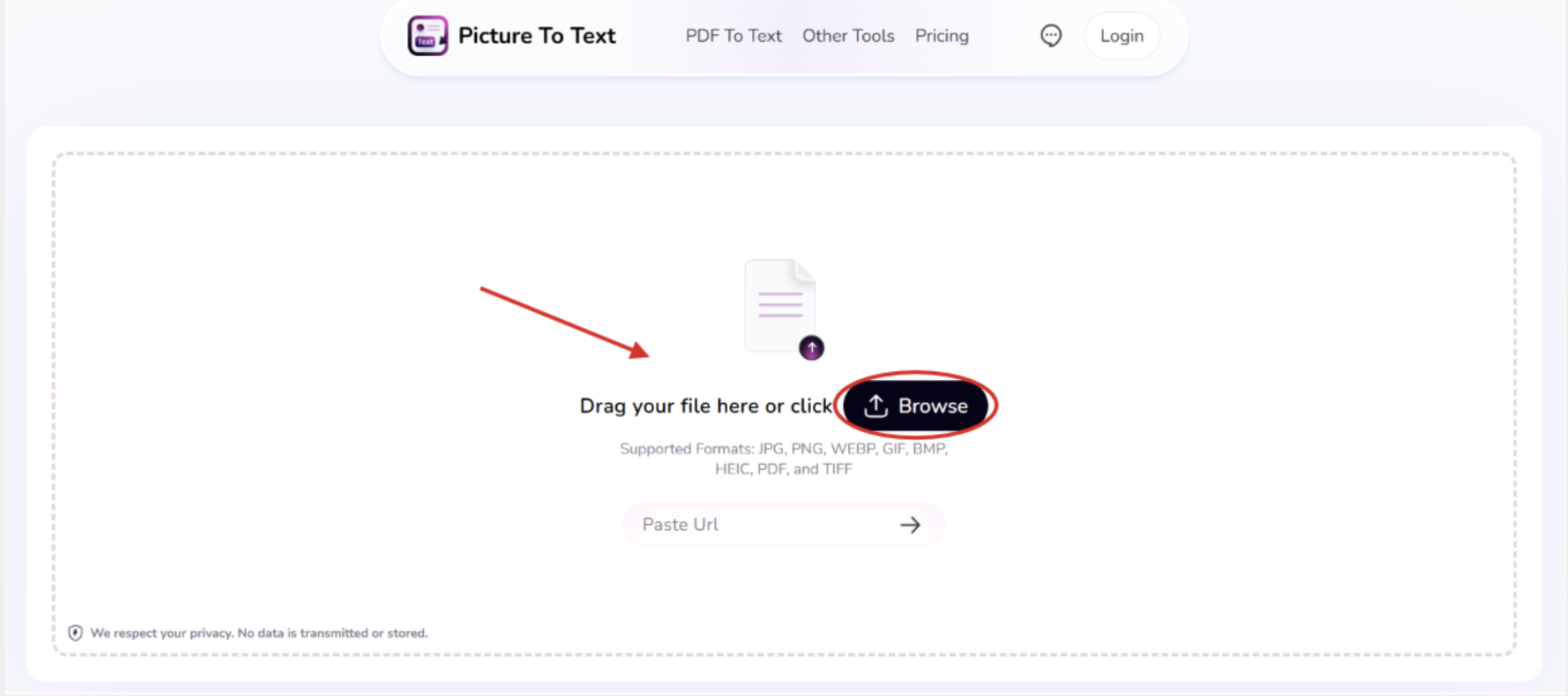
Begin by uploading the scanned document to the OCR-powered photo to text converter that you have selected. Depending on the tool, you may be able to upload the image from your device, drag and drop it, or paste its URL.
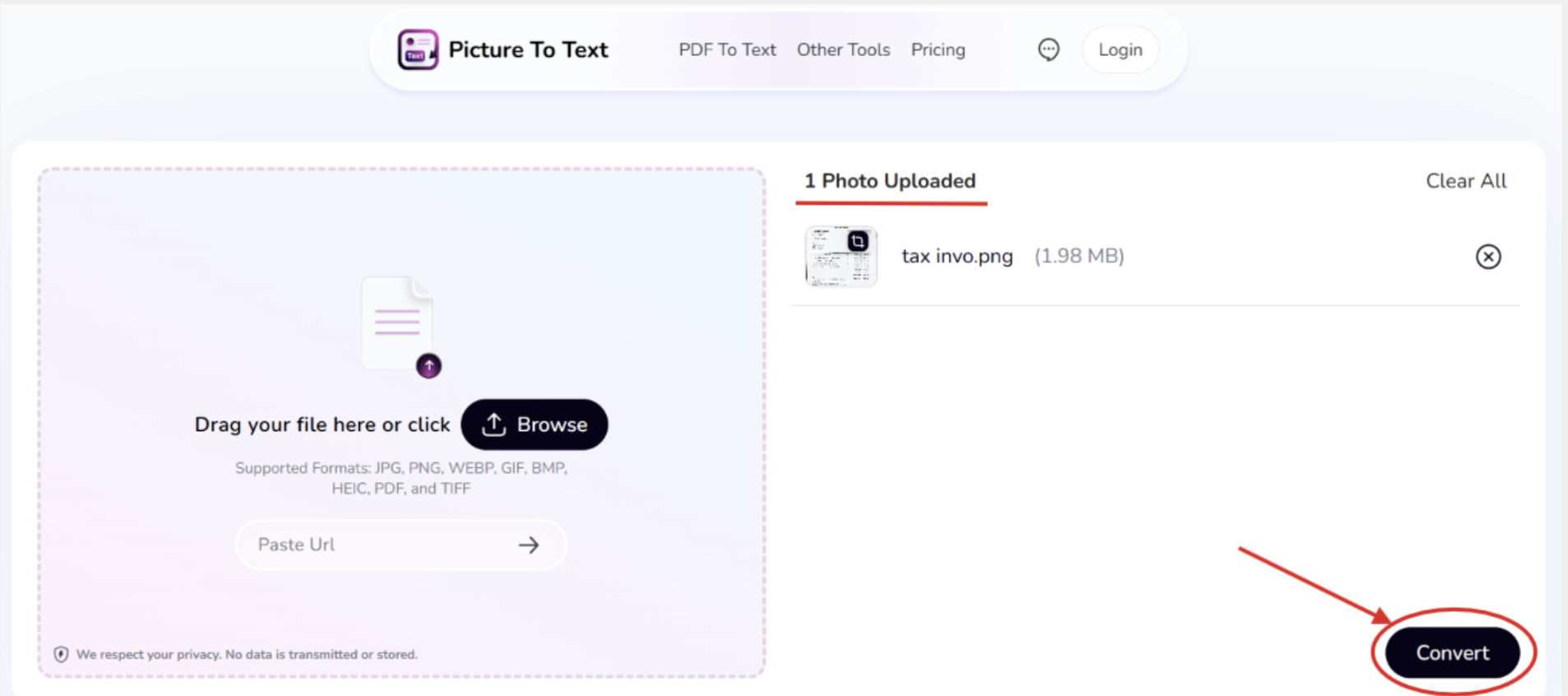
Once the image is successfully uploaded, click on the convert button to get the extracted text in an editable form.
3. Copy the Text and Paste it into Google Docs or Word
Finally, you can either copy the extracted text and paste it into an editor (like Google Docs or a Word doc) or download it directly as an editable TXT file with the help of the respective options available.
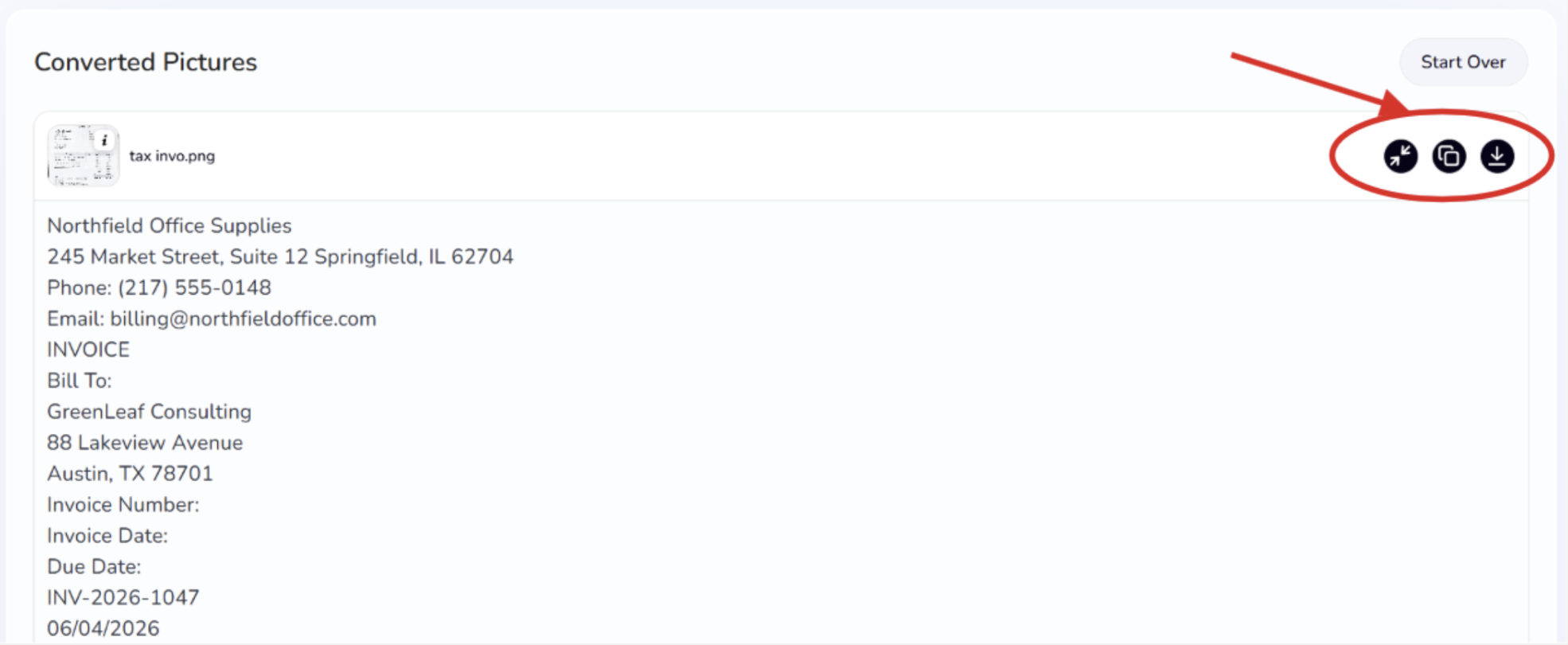
Now, you can easily edit and update your document (correct errors, add information, improve formatting, or remove unnecessary content). Don’t forget to compare the digital version of your document with the original one to ensure that names, numbers, headings, and important details have been converted accurately.
Best Practices
To get the most accurate results, follow these best practices during the whole process.
- Take a clear and quality image. Ensure proper lighting and that the entire page is visible. OCR tools work best when the text is sharp and easy to read.
- When taking the picture, place it on a flat surface that is totally even. Wrinkled or folded pages can distort the text, which may reduce OCR accuracy.
- Always double-check the extracted text. Although modern OCR is highly accurate, it’s still a good idea to compare the extracted information with the original document. Pay close attention to critical details like names, dates, numbers, addresses, etc.
- Make sure you keep the original paper document until you have completed reviewing and editing the newly created digital file. This can be useful in case you want to make use of any information from the original file at a later stage. Important credentials, awards, or certifications can also be protected and displayed in certificate frames rather than stored away.
Summing Up
Today, editing and updating paper documents no longer means retyping everything from scratch. Rather, follow the simple process explained in this article.
Begin by taking a picture of the physical document. Use an OCR image-to-text converter to extract the text and make it editable. Then, copy the extracted text and paste it into an editor like Google Docs or Word. Make the necessary updates and save the file.


